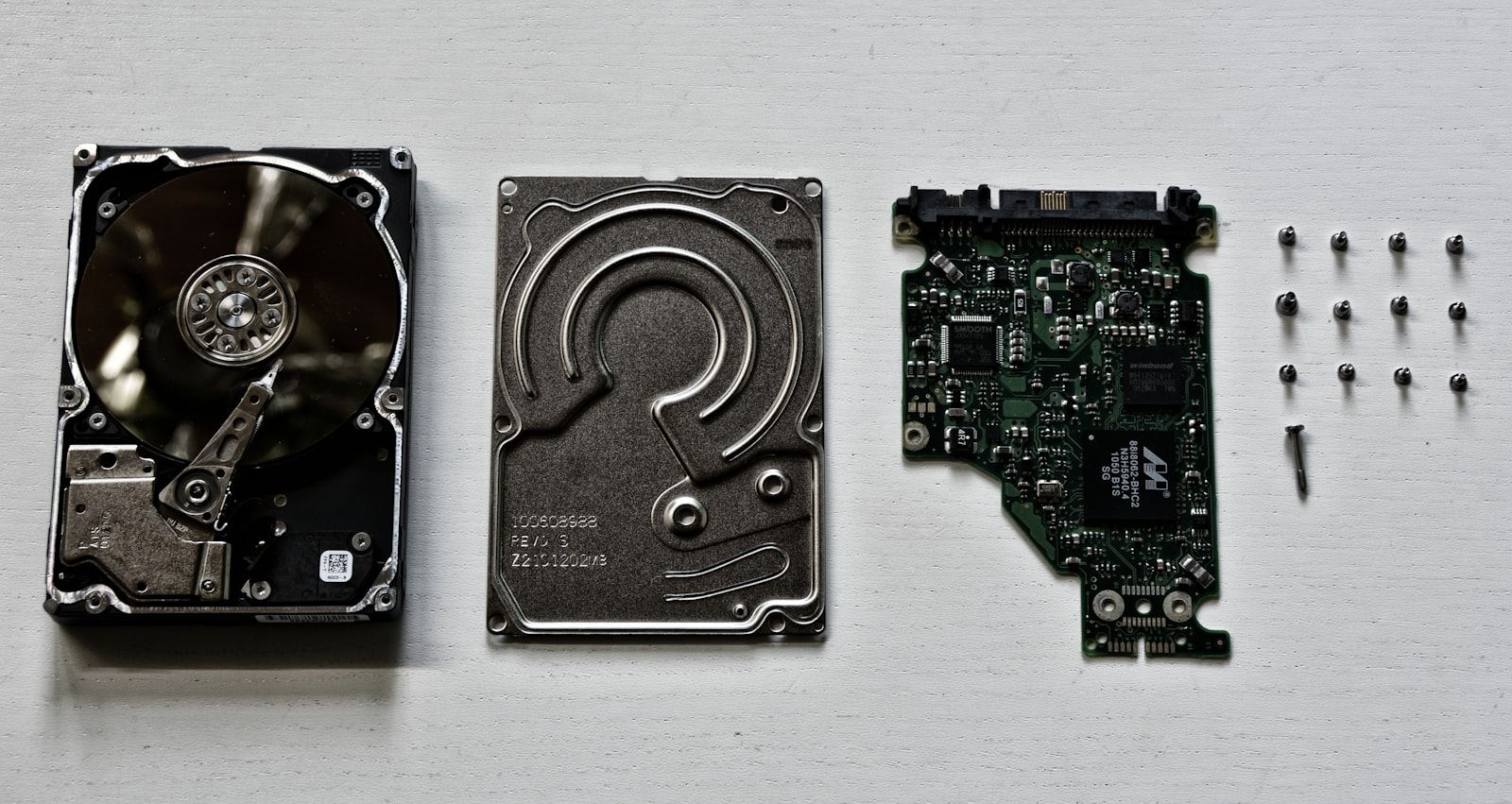
Enterprise storage decisions directly impact application performance, data center efficiency, and total cost of ownership. As we move through 2026, three storage technologies dominate the market: NVMe SSD, SATA SSD, and traditional HDD. Understanding their differences, use cases, and pricing dynamics is essential for IT infrastructure planning.
NVMe SSD: The Performance King
NVMe (Non-Volatile Memory Express) SSDs connect directly to the PCIe bus, bypassing the legacy SATA and SAS protocols. This direct connection enables sequential read speeds of 7,000 MB/s and write speeds of 5,000+ MB/s—roughly 10x faster than SATA SSDs.
For database workloads, NVMe drives reduce query latency from milliseconds to microseconds. A single NVMe SSD can handle over 1 million IOPS, compared to 100,000 IOPS for a high-end SATA SSD. This performance advantage makes NVMe essential for:
- High-frequency trading platforms
- Real-time analytics and OLTP databases
- AI/ML training data pipelines
- Virtualization clusters with high VM density
- Content delivery networks
The latest PCIe 5.0 NVMe drives push sequential reads beyond 14,000 MB/s, doubling the previous generation. However, these drives require servers with PCIe 5.0 support—available in Dell PowerEdge R760, HPE ProLiant Gen11, and similar current-generation platforms.
SATA SSD: The Sweet Spot
SATA SSDs remain the workhorse of enterprise storage. While their 550 MB/s sequential speed pales compared to NVMe, they offer several advantages:
- Cost per TB: SATA SSDs cost 40-50% less than NVMe equivalents
- Compatibility: Every server made in the last decade has SATA ports
- Power efficiency: 2-3W per drive vs 7-12W for NVMe
- Form factor flexibility: Available in 2.5", M.2, and mSATA
For general-purpose workloads—file servers, web hosting, development environments, and secondary storage—SATA SSDs deliver more than adequate performance at a compelling price point.
HDD: Capacity at Scale
Hard disk drives continue to hold ground in specific use cases where capacity matters more than speed:
- Backup and archival storage
- Video surveillance
- Large-scale object storage (Ceph, MinIO)
- Cold data tiers
Modern enterprise HDDs reach 24TB per drive, with 30TB+ models announced for 2026. At $15-20 per TB, HDDs remain 5-6x cheaper than SSDs on a capacity basis.
Hybrid Approach: Tiered Storage
Most enterprise environments benefit from a tiered storage strategy:
- Hot tier: NVMe SSD for active databases and critical workloads
- Warm tier: SATA SSD for general applications and user data
- Cold tier: HDD for backups, archives, and infrequently accessed data
2026 Pricing Overview
| Technology | Capacity Range | Price per TB (Enterprise) |
|---|---|---|
| NVMe Gen4 SSD | 1.92TB - 15.36TB | $200 - $350 |
| NVMe Gen5 SSD | 3.84TB - 30.72TB | $350 - $600 |
| SATA SSD | 480GB - 7.68TB | $100 - $180 |
| Enterprise HDD | 4TB - 24TB | $15 - $25 |
xvda vs NVMe: What Those Device Names Actually Mean
A common source of confusion when comparing storage—especially on cloud instances—is the difference between xvda and nvme device names in Linux. These are not two competing drive technologies; they are two different ways the operating system sees a block device:
/dev/xvda is a virtualized disk name. The Xen and virtio hypervisors present paravirtualized block devices to the guest OS as xvd* devices (xvda, xvdb, xvdc…). Older AWS EC2 instances and many VPS platforms use this naming. The underlying physical storage could be anything—SATA SSD, NVMe, or even network storage—but the guest sees the hypervisor's emulation layer, which adds latency and caps queue depth.
/dev/nvme0n1 is the name the kernel gives a device attached through the native NVMe driver. On modern cloud instances (AWS Nitro-based types, for example), even network-attached EBS volumes are presented as NVMe devices, bypassing the Xen emulation layer entirely. This is why the same EBS volume shows lower latency on a newer instance type than on an older one that presents it as xvda.
The practical takeaway for procurement: when a spec sheet or cloud console shows xvda vs NVMe device names, it tells you which driver path your workload will use—not what physical drive you are buying. For physical servers, what matters is the interface on the drive itself: NVMe drives connect over PCIe lanes, SATA SSDs over the legacy AHCI/SATA bus. Everything else in this guide applies regardless of how the OS labels the device.
Frequently Asked Questions
Is NVMe worth it over SATA SSD for enterprise servers in 2026?
For latency-sensitive workloads—databases, virtualization hosts, AI data pipelines—yes. NVMe delivers roughly 5–10x the throughput and an order of magnitude lower latency than SATA SSD, and the price gap per terabyte has narrowed to around 1.5–2x. For bulk storage, backups, and archives, SATA SSD or HDD remains more economical per terabyte.
What is the difference between xvda and NVMe devices?
xvda is a virtualized block device name used by Xen and virtio hypervisors; /dev/nvme* is a device attached through the native NVMe driver. They describe how the OS sees the disk, not the physical drive technology. Modern cloud instances present even network storage as NVMe devices to bypass the older emulation layer.
Can I mix NVMe and SATA drives in the same server?
Yes, and it is the recommended design for most workloads: a tiered layout with NVMe for hot data (databases, active VMs) and SATA SSD or HDD for warm and cold data. Most 2U enterprise servers support both simultaneously—typically U.2/U.3 NVMe bays alongside SATA/SAS bays on the same backplane.
How long do enterprise NVMe SSDs last?
Enterprise NVMe drives are rated in drive writes per day (DWPD) over a 5-year warranty—typically 1–3 DWPD for mixed-use models. In practice, a 1 DWPD 3.84TB drive can absorb around 7 petabytes of writes over its warranty life, far beyond what most general-purpose workloads generate.
Conclusion
NVMe SSDs have become the default choice for primary enterprise storage in 2026, but SATA SSDs and HDDs still play important roles in a balanced storage architecture. The key is matching the storage technology to your workload requirements, performance expectations, and budget constraints.